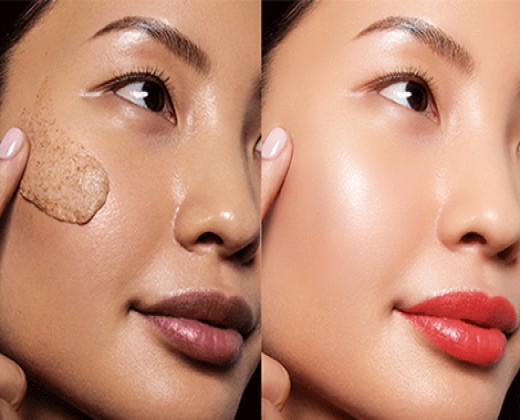
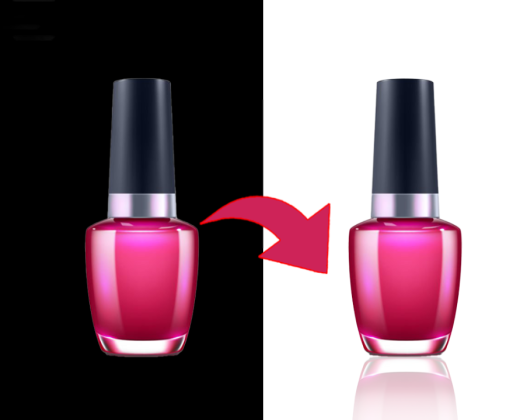
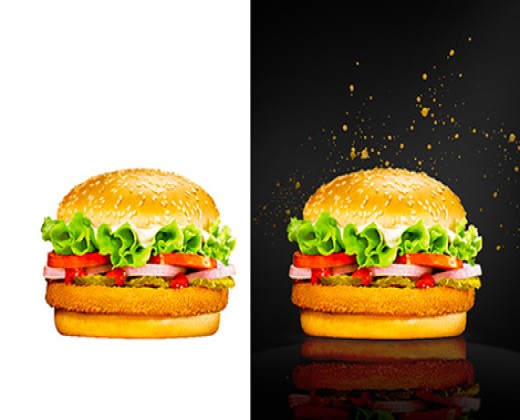
An awesome product photo is worth a lot more than a thousand words. You need to ensure every visual associated with your brand says exactly what you need it to.
Let’s face it: images do the heavy lifting in any online shopping experience. When customers can’t feel the material or get up-close with your product, it’s up to your photos to fill in the gaps. The pictures you showcase on your store pages, Instagram feed, and ads need to provide context, create desire, and show your customers exactly what they’re getting.
How can you create studio-quality visuals? A big part of that is adding the perfect background. In this article, we’ll cover how to add a background to a photo quickly and easily with PicScientist.com.

Adding the right background to your photos allows you to:
Draw Focus to Your Product: Showcase your product in the best possible way, whether that’s a sandy beach for sunglasses or a clean white backdrop for a luxury watch.
Remove Distractions: Eliminate random objects or clashing colors that pull attention away from your subject.
Elevate Your Brand Image: Whether you’re on Etsy or Instagram, a professional background ensures your brand makes the right statement.
[Insert Image: Before & After Comparison] A side-by-side view showing a cluttered original photo transformed into a professional product shot with a sleek new background from PicScientist.
Historically, editing images was a technical challenge. Traditional design software (like Adobe Photoshop) is often overly complex and expensive for the average business owner who just needs a quick fix.
The good news? As technology evolves, so do your options. With the right AI-powered tools, anyone can add or remove a background in just a few taps. All you need is a browser and PicScientist.com.
Ready to see how easily you can transform your images? Follow this simple step-by-step tutorial using the PicScientist Site Spinner tools.
Create a new project in PicScientist.com and upload an image.
Pro Tip: Have a whole collection to edit? Use our Batch Editor to remove and add backgrounds to multiple pictures at once. This is the perfect solution for keeping a consistent look across your entire product line.
Here’s where the magic happens. Our AI automatically detects your subject with "surgical precision." Simply click to remove the original background, creating a perfect cut-out of your product. If there are complex edges (like fur or steam), you can use the refine tools to ensure it looks flawless.

Once the original background is gone, you have the freedom to experiment. You have three main options:
Upload Your Own: Choose a unique background from your own library.
Stock Library: Search through millions of high-resolution stock photos to find the perfect setting (retro, boho, rural, etc.).
Monochrome Palette: Select a solid color for a simple, high-end e-commerce look.
Make your image pop by adding professional touches. PicScientist.com allows you to add:
AI Shadows: To make the product look like it’s actually sitting on the new surface.
Reflections: For that high-end "Apple-style" product look.
Filters & Text: Add your brand’s font or specific color filters to tie the aesthetic together.
As an e-commerce merchant, you know the importance of carefully crafted images. Whether you want to clean up a cluttered shot or create a thematic ad, PicScientist.com is the simplest, fastest way to edit your photos.
To see just how quickly you can swap out an image background, try our Site Spinner tool today. Join thousands of small businesses and entrepreneurs who have upgraded their brand with professional imagery.
Start Creating with PicScientist.com Today!